
Quick Start Guide
Enhancing your User profile
Start by working toward updating and enhancing your user profile. Make it yours!!
Start by updating your portfolio and cover images. Here is how:
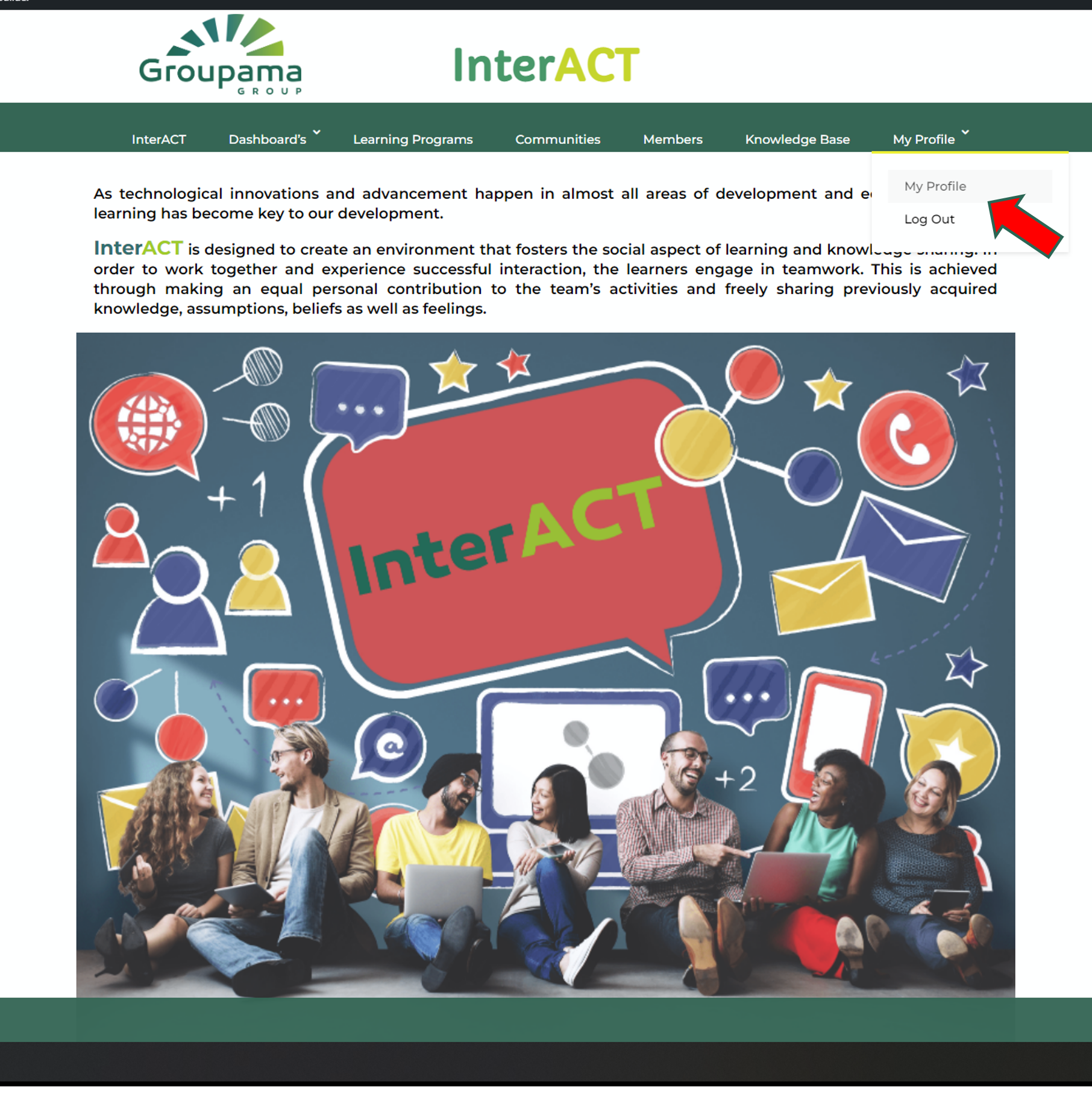
From your main menu click on my porfolio
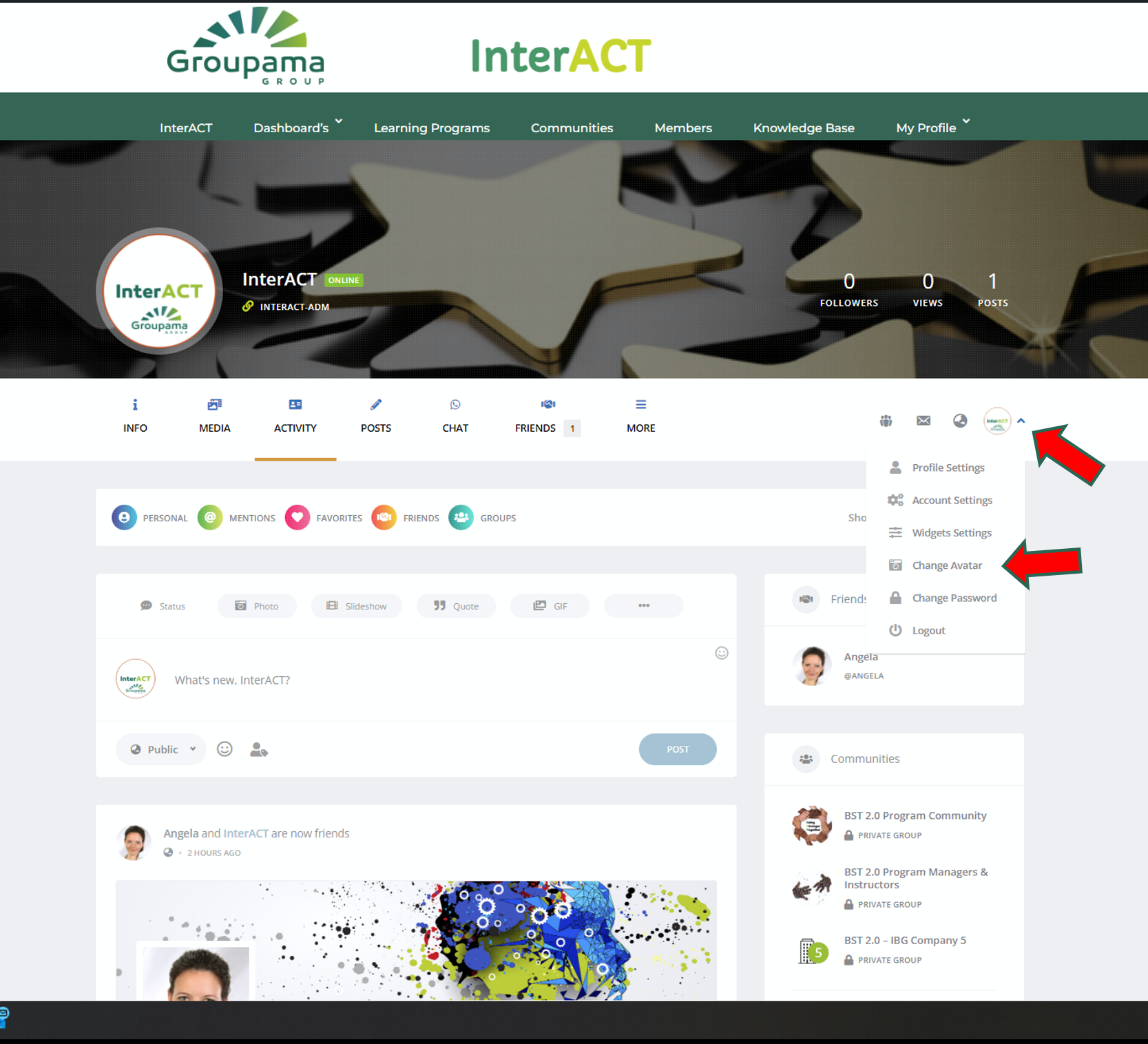
Click on your profile options and them select change avatar (Show below)
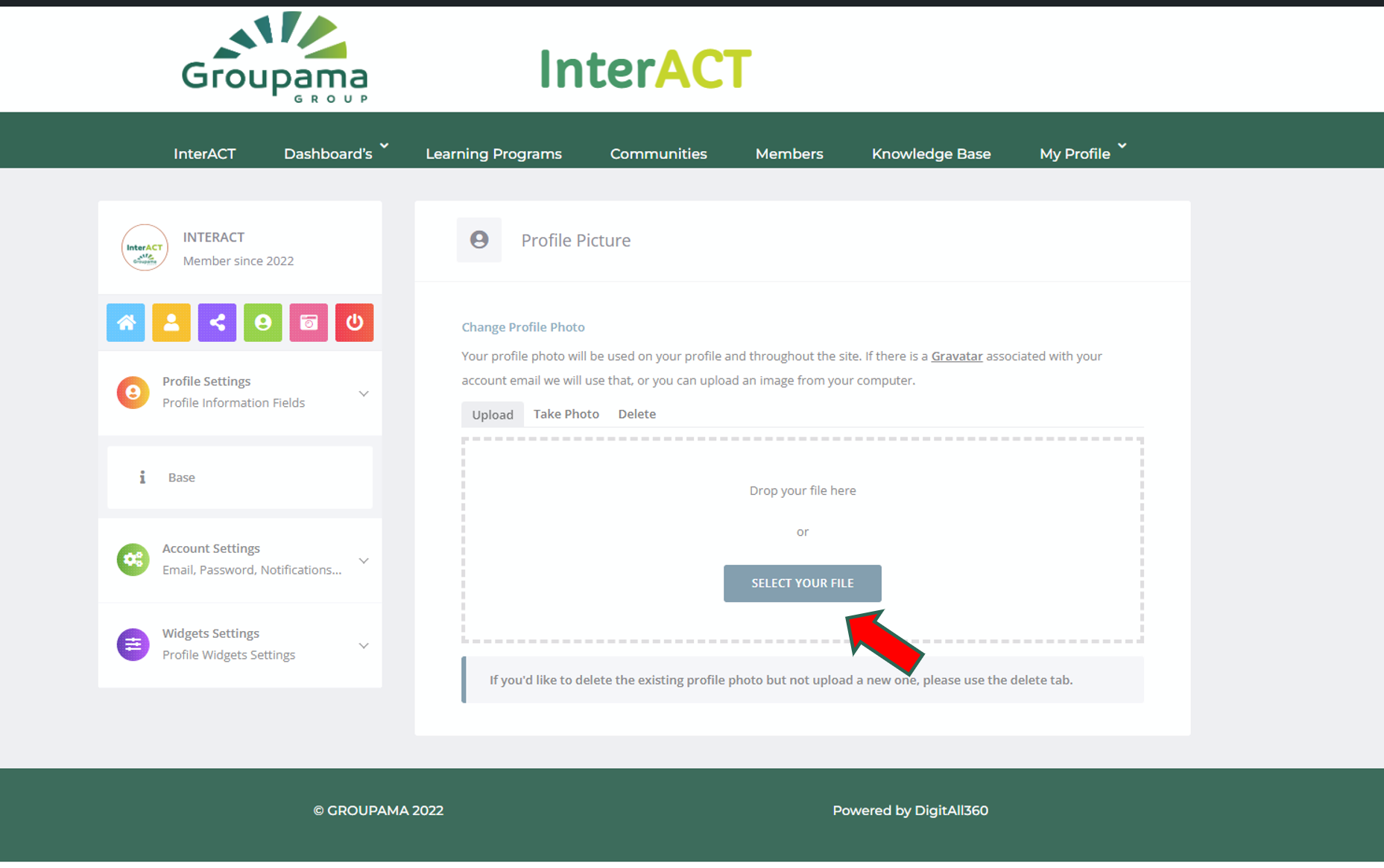
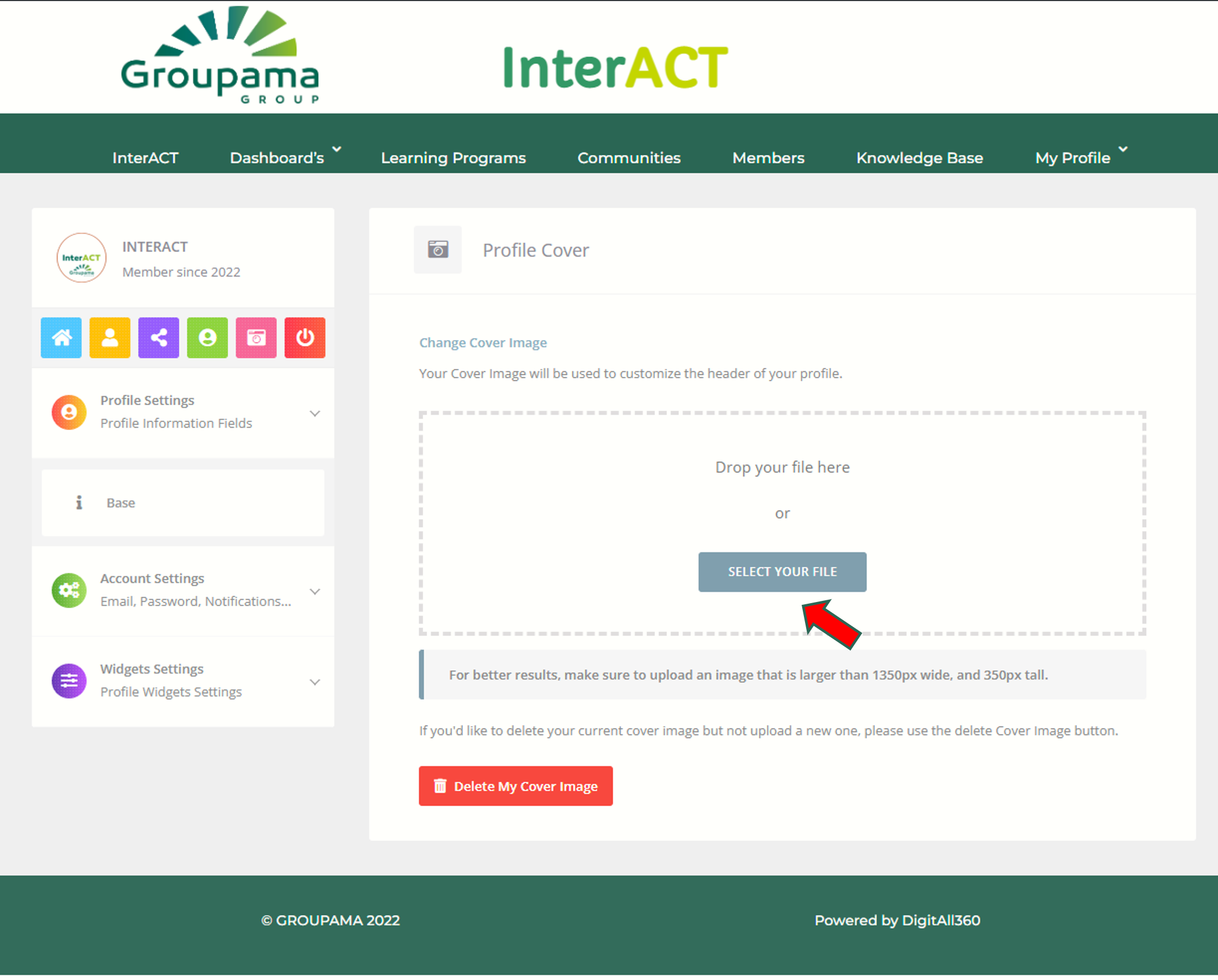
Click on SELECT YOUR FILE and pick the image of your preference.
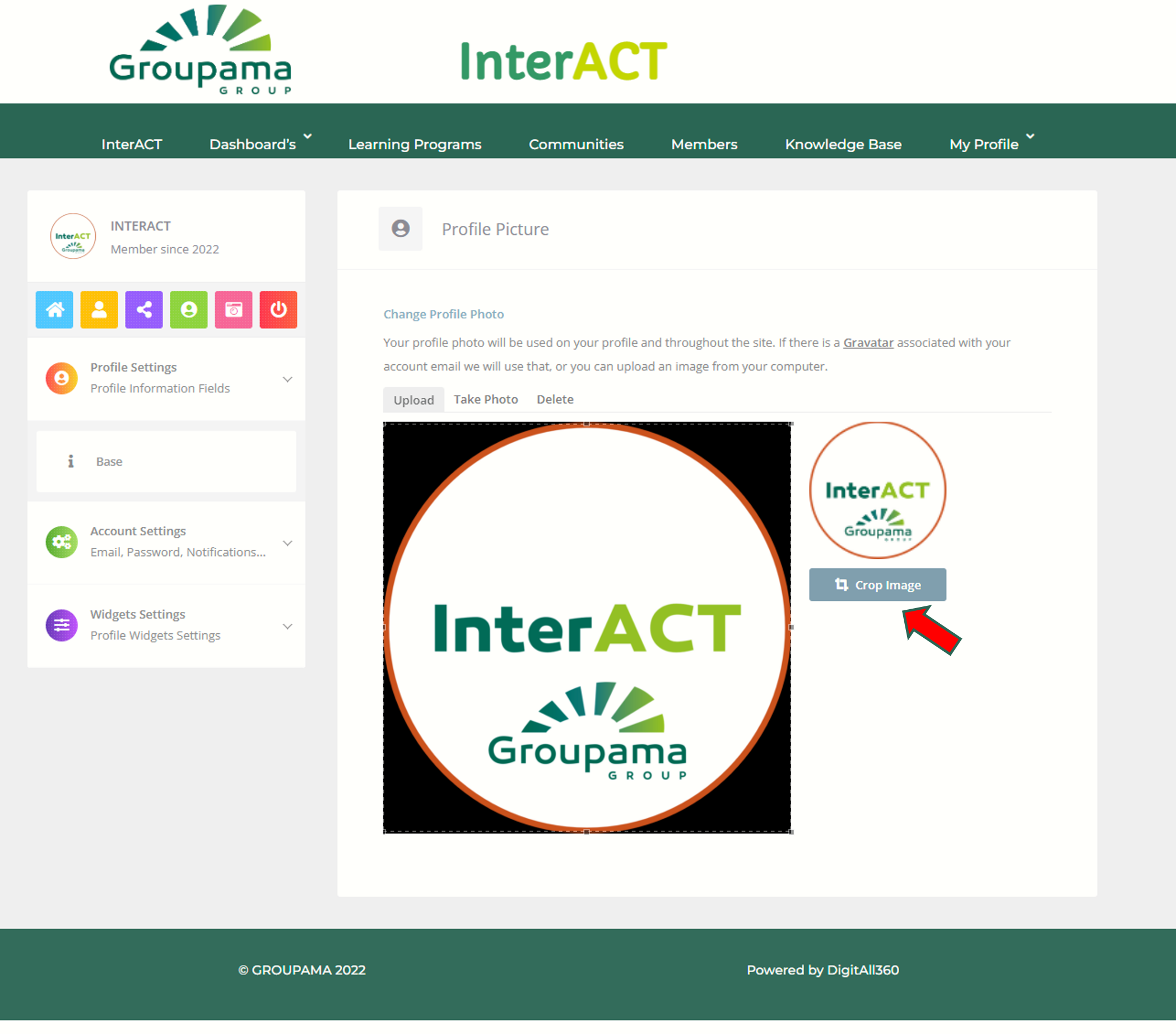
Crop your image as show below
Once the process is completed and your image is uploaded you can move to update your PROFILE COVER PHOTO by clicking on the camera buttom as indicated by the arrow.
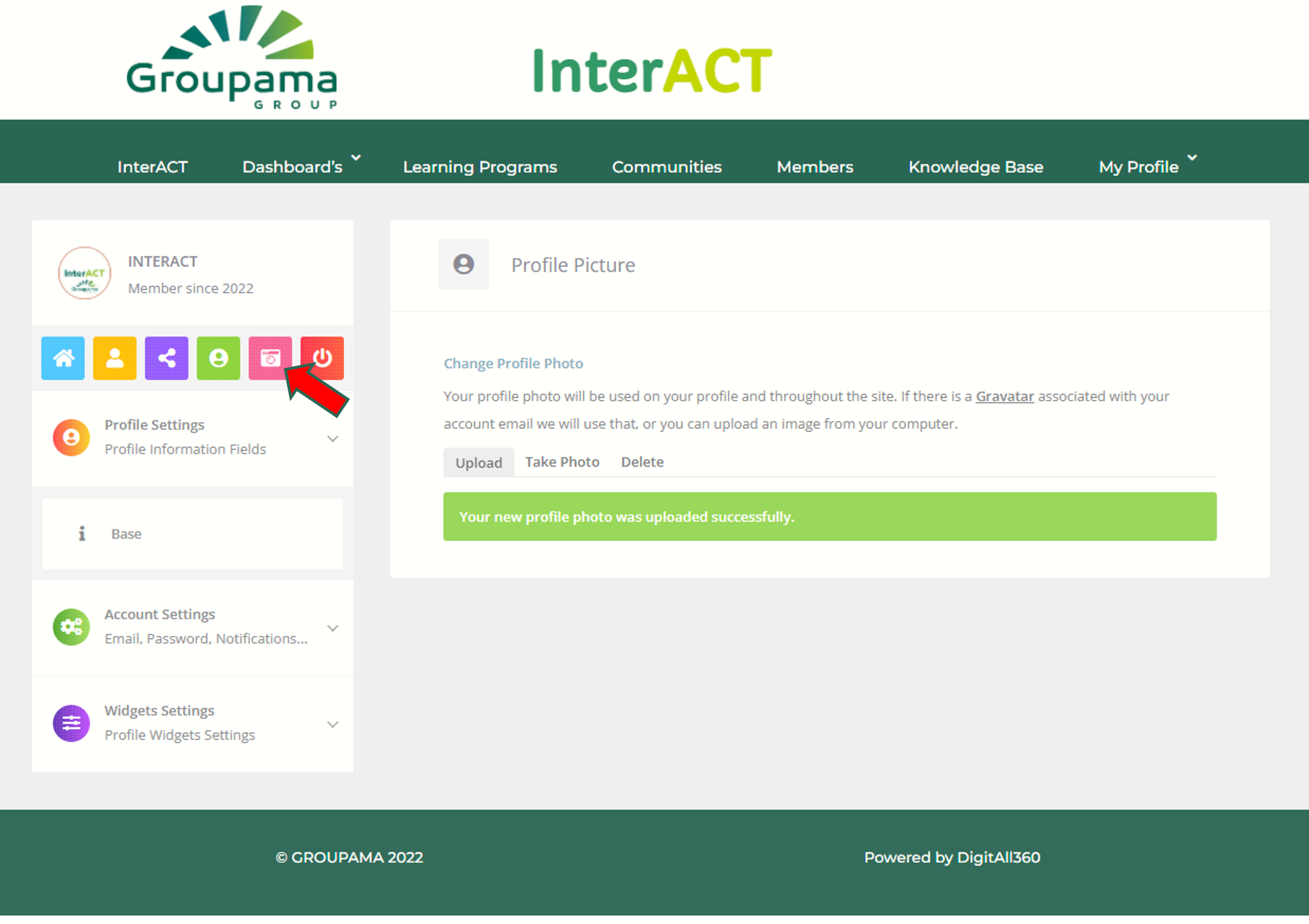
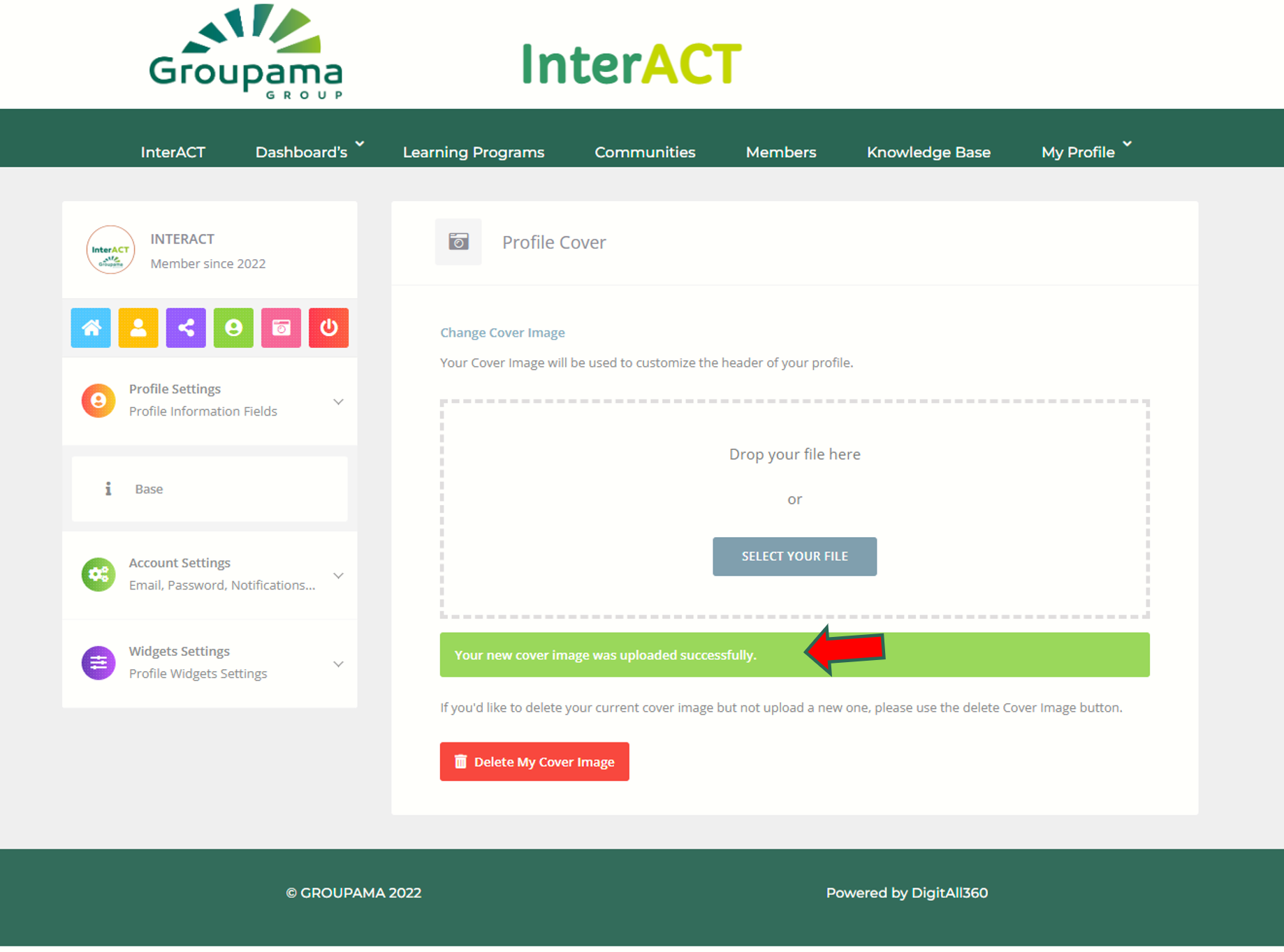
Repeact the process again by clicking into SELECT YOUR FILE them wait until image is loaded(No croping on this Step for the cover photo). Once you receive the confirmation message that image is loaded you can go back to your profile page and see the changes.
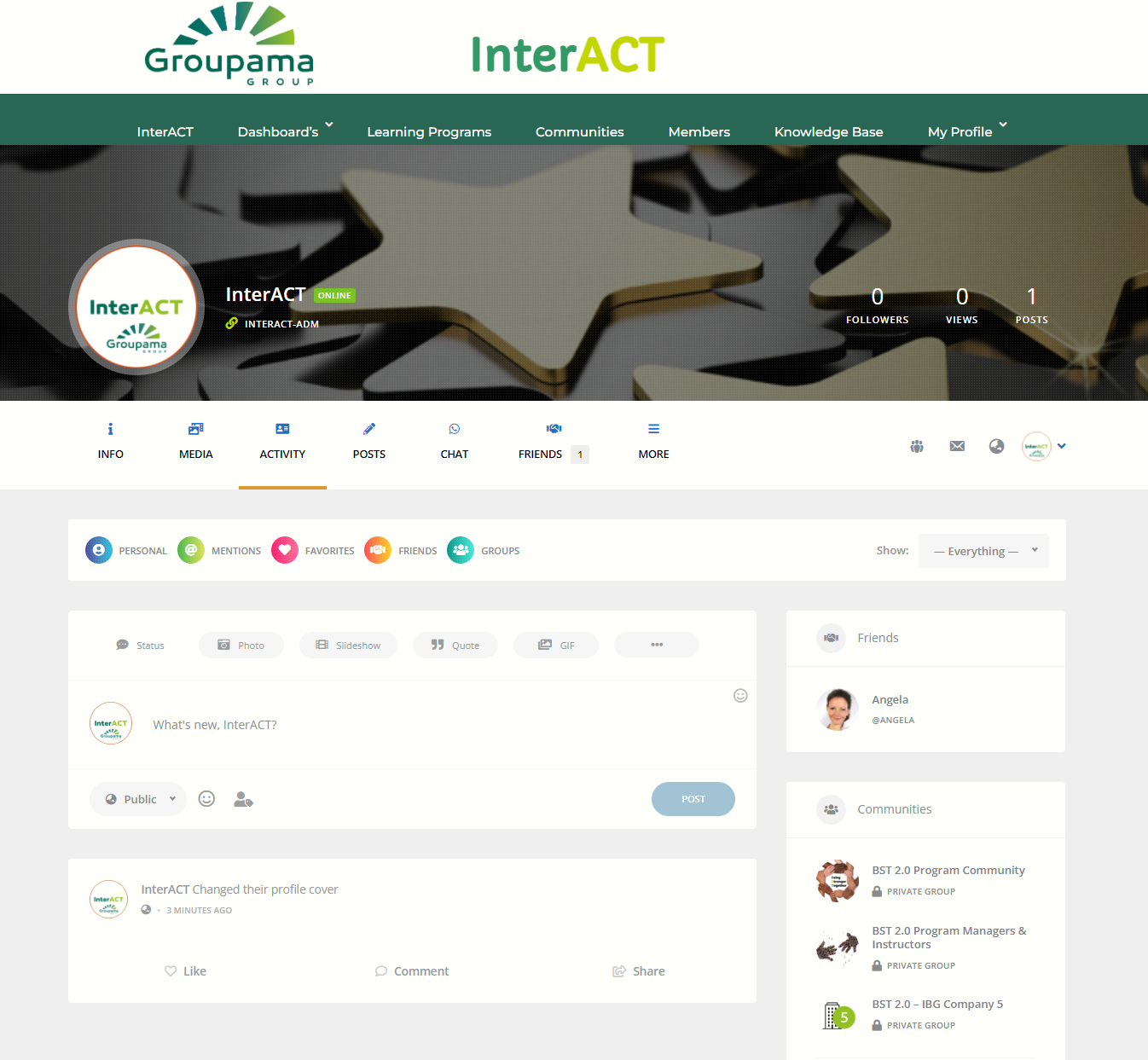
Enjoy your new cover and profile pictures.